
Tavqeroli's Organisational Functions and Capabilities
A description of the tools and processes Tavqeroli uses to classify, review, and present structured content to users of the platform.
Tavqeroli is built around a set of core organisational functions that work together to transform unordered content into a navigable, reviewable structure. The following sections describe each function in detail, including what it does, how it operates within the system, and what users can expect from it in practice.
Information Classification
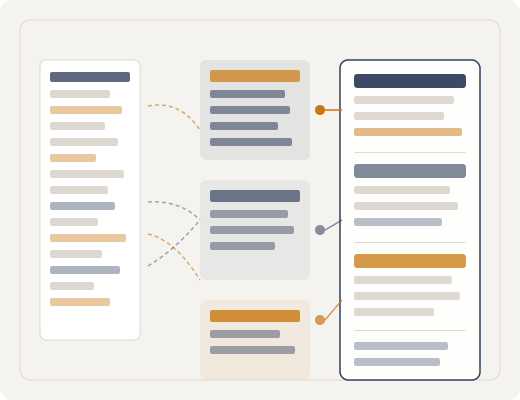
Classification is the first stage of the Tavqeroli process. When content enters the system, it is analysed and assigned to one or more categories based on its subject matter, format, and relationship to existing items in the index.
Classification is handled by the system's AI-assisted processing layer, which applies a consistent set of organisational criteria across all submitted content. Categories are hierarchical: each item belongs to a primary category and may be associated with secondary groupings that reflect its relationship to other types of content.
The classification system is not infallible. Items that fall across multiple categories or that contain ambiguous subject matter may require manual review before their placement in the index is confirmed.

Content Review Interface
Once content has been classified, it becomes accessible through the Tavqeroli review interface. This interface presents information in a structured format, with each category displayed as a navigable section containing the items assigned to it.
Users can browse items within a category, read their associated labels and context notes, and compare items across related sections. The interface does not require users to understand the classification logic in order to use it; navigation is designed to be self-explanatory at each level of the hierarchy.
The review interface is updated when new items are added to the system or when existing classifications are revised. Users accessing the interface at different times may therefore see different content within the same sections.
Automated Arrangement
In addition to classification, Tavqeroli uses automated arrangement to determine how items are ordered and grouped within each category. This function considers factors such as recency, subject relatedness, and the frequency with which items are accessed during the review process.
Automated arrangement is applied continuously as the system's index grows. Items do not remain in a fixed position indefinitely; their placement within a section may shift as the system recalibrates groupings to reflect changes in the available content.
Users who require a specific item to remain easily accessible are encouraged to use the referencing tools within the interface, which allow items to be marked and retrieved without relying solely on their position in the automated arrangement.
How the Access Process Works
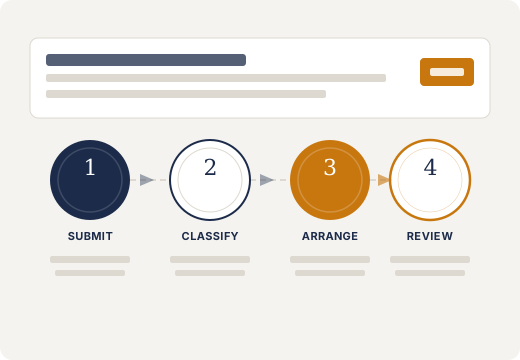
Users who wish to interact with the Tavqeroli interface follow a straightforward access pathway from initial enquiry to active use.
Submit an Enquiry
Begin by completing the enquiry form on the contact page. Provide your name, email address, the type of access you are seeking, and a brief description of your purpose. The team reviews all enquiries before responding.
Team Review
The Tavqeroli team reviews your submission to understand the context and scope of your request. If clarification is needed, a team member will contact you using the email address you provided. The team may decline requests that fall outside the intended use of the platform.
Access Confirmation
If your enquiry is approved, you will receive confirmation of the sections or categories available to you. The scope of access is determined by the nature of the request and may be updated over time as your use of the system develops.
Ongoing Use and Support
Once access is established, you can navigate the interface and review the available content within your assigned sections. The team remains available to assist with questions about the interface, the classification system, or the content you encounter.
Further Tools Within the System
Item Referencing
Mark specific items within the interface for easy retrieval. Referenced items are stored in a personal index that persists between sessions and is unaffected by changes to the system's automated arrangement.
Category Filtering
Narrow the items displayed within a section by applying one or more filters based on contextual labels. Filters can be combined to produce a focused view of the content relevant to a specific review task.
Support Requests
If you encounter an item that appears misclassified or a section that displays content you do not expect, you can submit a support request from within the interface. The team will review the item and respond accordingly.
Ready to Request Access to Tavqeroli?
Use the enquiry form to describe the type of access you are looking for and the team will review your submission.